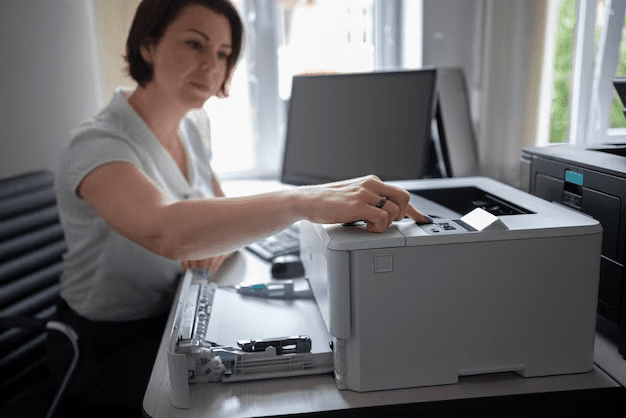
Not sure if your business printer needs repair? Recognizing the signs can save time and money. Here are six key business printer repair signs to help you decide when to call a professional.
Key Takeaways
- Poor print quality, persistent paper jams, and unusual noises are key signs your printer may need repairs.
- Ignoring error messages and slow printing speeds can lead to bigger problems and affect workplace productivity.
- Regular maintenance and quick troubleshooting are essential for extending printer lifespan and minimizing downtime.
Poor Print Quality
One of the most glaring indicators that your printer needs repair is the deterioration in print quality. If your documents are coming out with streaks, smudges, or faded text, it’s a sign that something is amiss. These issues can stem from various sources, such as:
- Outdated printer drivers
- Clogged printheads
- Low-quality toner cartridges
- Uneven ink distribution
These factors contribute to poor print quality, making timely professional attention crucial.
Regular checks and maintenance can help keep your printer in optimal condition and avoid these pitfalls. Make sure your printer routine maintenance, using the correct paper, and replacing toner cartridges and ink cartridges timely can make a significant difference. And if the problem persists, don’t hesitate to double check and call in a print technician to diagnose and fix the issue.
Persistent Paper Jams
Few things are more aggravating than a printer that constantly jams. Persistent paper jams are not only a sign of frustration but also an indicator of deeper issues within your printer. Common causes of paper jams include foreign objects, overfilled paper trays, and improperly inserted paper. These frequent jams can indicate underlying problems such as internal damage or misalignment.
The consequences of frequent paper jams go beyond the immediate inconvenience. Repeated paper jam can lead to damage to the internal components of the printer, escalating repair costs and downtime. Moreover, the constant need to fix these jams can disrupt the workflow, leading to lost productivity and increased employee frustration.
When troubleshooting steps like checking the paper tray and using the correct paper type don’t resolve the issue, consulting a professional technician is recommended. They can provide a thorough diagnosis and repair, ensuring your print driver and printer return to their optimal performance.
Unusual Noises
Your printer should hum along smoothly, with minimal noise. So, if you start hearing unusual sounds, it’s a clear sign that something is wrong. These noises often indicate mechanical issues that need addressing. For instance:
- Grinding sounds can signal problems with the internal components, which, if left unattended, could lead to more significant malfunctions.
- Clicking noises may indicate mechanical parts are misaligned or obstructed.
- Clunking sounds often suggest loose or damaged components inside the printer.
Swift action is necessary when you encounter such noises. Professional repair technicians are adept at diagnosing and fixing these mechanical problems. Ignoring these sounds might result in more severe damage, turning a minor repair into a costly replacement.
Error Messages and Codes
Error messages on your printer’s display can feel like a cryptic puzzle. However, these messages are there for a reason. Recurring error messages indicate underlying issues that, if left unaddressed, could exacerbate problems. Each printer model has unique error codes that point to specific problems, so it’s crucial to refer to your printer’s manual or the manufacturer’s website for interpretation.
Ignoring persistent error messages may lead to worsening of the problem or further complications. For instance, an error message related to paper feed issues might indicate a problem with the rollers or sensors. Addressing such issues promptly can prevent minor glitches from turning into significant repairs.
When faced with an error message, try the following steps:
- Check your print settings.
- Restart the printer and software.
- If the error persists, restart your computer.
- Check the network connection.
- Reinstall the printer driver.
- Consult the printer’s manual or the manufacturer’s website for unidentifiable error messages.
Slow Printing Speeds
In a busy office environment, slow printing speeds can be a significant bottleneck, affecting overall productivity. If your printer is taking longer than usual to print documents, it may indicate underlying hardware malfunctions or software issues that require professional diagnosis and repair. Several factors can influence printing speeds, including printer settings, high image quality, duplex mode, and printer’s performance.
Special finishing options like stapling can also extend the time required for print jobs. Additionally, printers with insufficient memory may struggle to handle large files, resulting in slower print times. To optimize printing speeds, consider simplifying document content or lowering image quality. Clearing the print queue regularly can also help reduce delays in busy printing setups.
Disabling duplex printing can speed up the completion of print jobs by reducing processing complexity. Taking these steps ensures your common printer operates efficiently, keeping your office running smoothly with double sided printing.

Connectivity Issues
Connectivity issues can be a significant hurdle in maintaining seamless printing operations. Most common printer problems include different wireless access points causing disconnections, high network traffic delaying printing, and printers being on a different network than the computer. These issues can disrupt the communication between the printer and computer, leading to delays and frustration.
Troubleshooting connectivity issues begins with power cycling the router, checking for firmware updates, and running wireless connectivity tests. These steps can help identify and resolve the root cause of the problem. However, if you are still experiencing connectivity problems, it may indicate deeper issues that require professional repair services.
A stable network is crucial for seamless printing operations, as it ensures that the printer and computer can communicate effectively on the same network. Promptly addressing connectivity issues helps maintain efficient printing processes and avoid unnecessary delays.
Enhancing Office Efficiency and Savings
A well-functioning office printer is essential for producing documents and marketing materials, playing a crucial role in many businesses’ operations. However, the printing costs associated with constant printing, including paper, toner, electricity, and lost productivity, can add up significantly due to unnecessary printing. Old business printers can lead to increased expenses due to costly repairs, high energy use, and expensive supplies.
Printer issues can cause workflow disruptions and missed deadlines. This, in turn, increases employee stress and negatively impacts overall productivity. Investing in printer repair can reduce ongoing costs and enhance overall office savings, ensuring smoother operations. Calling in an expert familiar with the machine can save time and frustration when dealing with persistent printer problems.
Considering a service contract for older printers can be beneficial if slow printing persists and may lead to a new printer replacement plan. Additionally, investing in managed print services can help save money and lead to significant savings of up to 30% on print costs.
Extend Printer Lifespan
Repairing printers helps maximize your investment and ensures optimal performance. Instead of continually buying new equipment, which can be costly, repairing existing printers can lead to significant savings. Incorporating printer repair into your office strategy can cut costs and maintain optimal printing capabilities.
Persistent printing problems after software updates may indicate the need for repair, so don’t let costs deter you from investing in your printer’s longevity. Focusing on repairs and regular maintenance extends the lifespan of your printers and ensures they meet your business’s printing needs with the right printer software application from the printer manufacturer’s offerings.
Minimize Downtime
Minimizing downtime is crucial for maintaining productivity and avoiding workflow disruptions. Efficient troubleshooting reduces repair time by allowing quick and accurate diagnosis. Quick troubleshooting improves repair efficiency, reduces wait times, and ensures that your office operations run smoothly, while also providing fixes when necessary, saving you valuable time and offering the easiest solution.
Establishing a regular maintenance schedule minimizes unexpected printer breakdowns. Proactively maintaining your printers helps avoid costly downtime and keeps your office running efficiently. Regular maintenance not only prevents major issues but also extends the lifespan of your printers, providing long-term benefits.
Proactive Maintenance Tips
Routine maintenance involves regular assessments to catch potential mechanical problems early. Regular maintenance can help avoid major issues that lead to premature printer replacements. Educating staff on proper printer use can significantly extend the life of the equipment.
Overloading the paper tray can cause excessive pressure, making it hard for the printer to feed paper smoothly. Using low-quality or damaged paper increases the risk of jams as it may vary in size and texture. Additionally, improperly loading paper into the tray can result in jams; the paper must be aligned correctly.
Dirty feed rollers can prevent paper from feeding correctly, contributing to jam issues. Following these proactive maintenance tips ensures your printers operate efficiently and helps avoid unnecessary repair costs.
Summary
In summary, recognizing the signs that your business printer needs repair is crucial for maintaining smooth operations. From poor print quality and persistent paper jams to unusual noises, error messages, slow printing speeds, and connectivity issues, each sign indicates that your printer requires attention. By addressing these issues promptly, you can prevent minor problems from escalating into major disruptions.
Investing in printer repair and maintenance not only extends the lifespan of your printers but also enhances office efficiency and saves money. Regular maintenance, efficient troubleshooting, and proactive measures can help you avoid costly downtime and ensure that your printers continue to meet your business’s printing needs. So, take action today and keep your office running smoothly.
Contact Geeks on Site to keep your business printer in top shape!
Last Updated on April 1, 2026