
Thermal paste is a crucial component for computer cooling systems, especially for CPUs. It fills microscopic gaps between the CPU and its cooler, enhancing heat transfer efficiency. Without thermal paste, your CPU could overheat and suffer performance issues. This article will explain what is thermal paste, how it works, and why it’s essential for maintaining your computer’s performance.
Key Takeaways
- Thermal paste enhances heat transfer between the CPU and cooler by filling microscopic gaps, preventing overheating and ensuring optimal performance.
- Different types of thermal paste, including metal-based, ceramic, and silicone formulations, have distinct thermal conductivity properties and application requirements.
- Regular maintenance and timely replacement of thermal paste are essential for preventing CPU overheating and maintaining system efficiency.
What is Thermal Paste?
Thermal paste, also known as thermal compound or thermal grease, enhances thermal contact between heat sources and heat sinks by filling microscopic gaps. This thermal interface material (TIM) manages heat dissipation in devices like CPUs and GPUs, ensuring efficient heat transfer and preventing air pockets that hinder cooling performance. Thermal gel and thermal paste makes a significant difference in maintaining optimal temperatures.
Without thermal paste, the microscopic imperfections on the surfaces of the CPU and heatsink would trap air, a poor conductor of heat. This results in inefficient cooling and potentially damaging high temperatures. Applying thermal paste is crucial for maintaining the health and performance of your CPU.
The Science Behind Thermal Paste
Thermal paste’s effectiveness comes from its ability to fill tiny surface imperfections, enhancing contact and improving heat transfer efficiency. This malleable material conforms to the micro-irregularities of both the CPU and heatsink surfaces, ensuring a better thermal connection and preventing air pockets that can insulate rather than conduct heat.
Applying thermal paste enhances the thermal connection between the CPU and its cooler, significantly improving heat dissipation. This is crucial for maintaining optimal CPU temperatures, especially during intensive tasks like gaming or video rendering. The paste’s ability to conform to the entire surface area of the CPU and heatsink ensures efficient heat transfer, preventing overheating and maintaining performance.
Understanding the science behind thermal paste reveals why this simple yet essential component is critical for CPU cooling. Its ability to fill microscopic gaps and enhance thermal conductivity makes it indispensable for any computer system.
Types of Thermal Paste
Thermal pastes come in various formulations, each with its own advantages and disadvantages:
- Metal-based thermal pastes often contain silver or aluminum and are known for their excellent heat conduction. They are ideal for users seeking the highest thermal performance but require careful application to avoid damaging components.
- Ceramic thermal pastes mix ceramic particles with silicone for good thermal performance, non-conductive and electrically insulating properties, making them safe for electronic components
- Silicone-based thermal pastes are versatile, providing good thermal conductivity and easy application, suitable for a broad temperature range.
Each type of thermal paste has its own set of characteristics, making it important to choose the right one based on your specific needs and level of expertise.
Why You Need Thermal Paste for Your CPU
Effective use of thermal paste prevents CPU overheating, which can lead to throttling and performance issues. Without thermal paste, the CPU can overheat, resulting in performance throttling and potential hardware damage. The paste’s higher thermal conductivity compared to air allows for better heat flow from the CPU or GPU to the heatsink, eliminating air pockets that could hinder heat transfer.
The right thermal paste can significantly enhance cooling efficiency, especially for overclocked systems.
Key points to consider include:
- Some thermal pastes are designed for specific applications, such as extreme overclocking or general use, affecting performance characteristics.
- For most users, budget-friendly thermal pastes can perform comparably to premium options, including good thermal paste.
- Cost is an important selection factor when choosing thermal paste.
Proper application of thermal paste is vital for effective heat transfer. Using too much or too little can cause overheating or inefficient heat transfer. Applying the correct amount ensures optimal cooling performance. Understanding its importance ensures your CPU runs smoothly, preventing potential damage and maintaining performance.
How to Apply Thermal Paste Correctly
Before applying thermal paste:
- Thoroughly clean the CPU and heatsink to remove any old residue.
- Apply a small amount, typically a pea sized blob, for proper spreading.
- Avoid applying too much, as excess overflow can reduce cooling efficiency. Pre applied thermal paste can also be a convenient option.
Pressing down on the liquid cooler after applying the paste helps distribute it evenly across the CPU surface, creating the right pressure. Application methods include the dot method, spreading with a card, or using a cross pattern. Proper application is crucial for maintaining the processor’s stability and longevity and helps to spread the paste effectively.
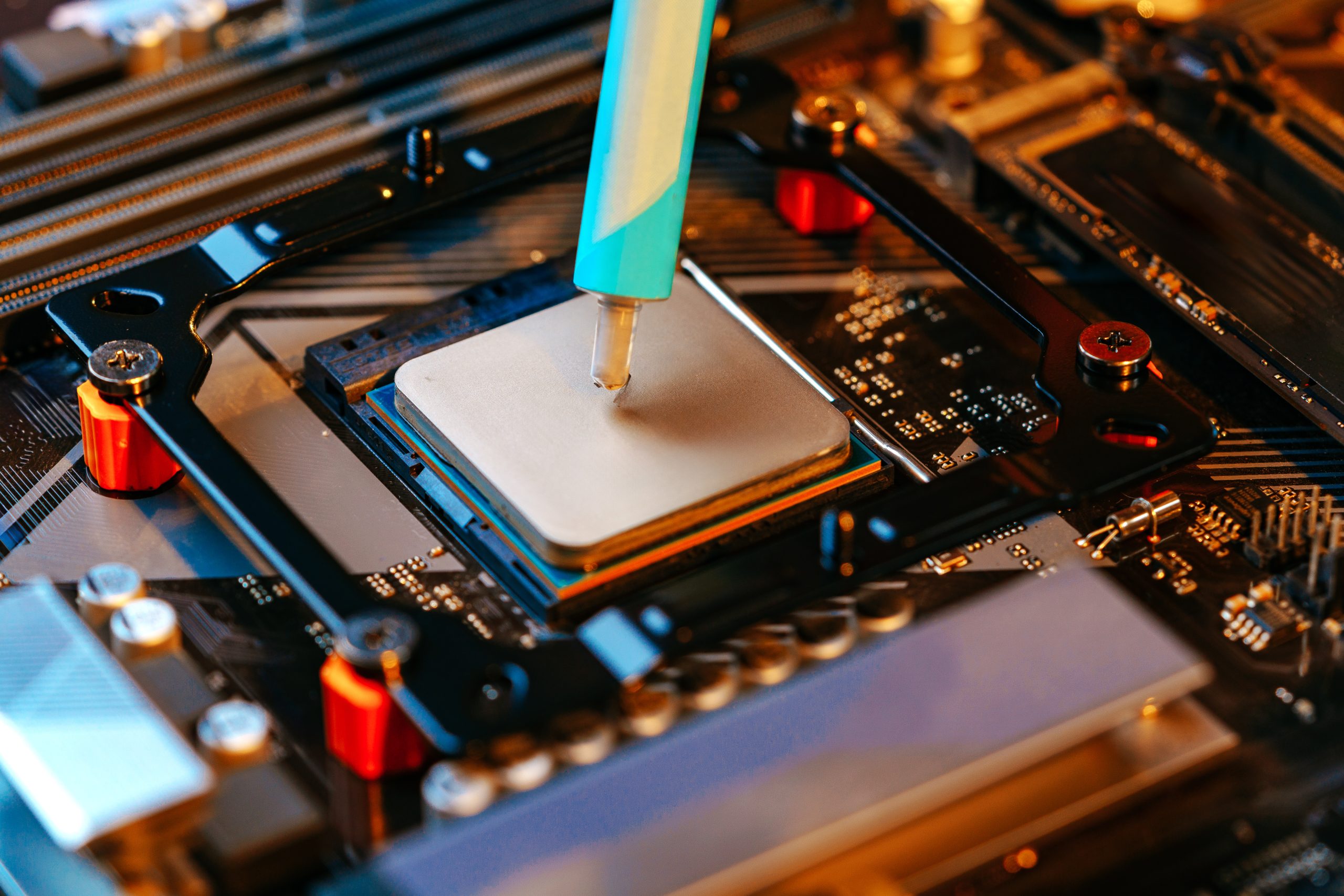
Following these steps ensures effective thermal paste application, keeping your CPU cool and efficient.
Common Mistakes in Thermal Paste Application
Common mistakes in thermal paste application include:
- Not properly cleaning the CPU and heatsink surfaces, leaving residues that hinder optimal heat conduction.
- Using incorrect application methods, which can affect the paste’s effectiveness depending on the CPU design.
- Improper installation of the heatsink, which can create air gaps and reduce thermal conductivity and efficiency.
Excessive thermal paste, or too much paste, can spill over the edges, potentially causing electrical shorts. Using the correct amount avoids these issues and ensures that the CPU is covered effectively.
Being aware of these common mistakes ensures effective thermal paste application, keeping your CPU cool and efficient.
When to Replace Thermal Paste
Thermal paste is crucial for efficient heat transfer between your CPU and its cooler; however, it can degrade over time due to neglect or environmental factors. Rising CPU temperatures indicate it’s time to replace the thermal paste to prevent overheating. Neglecting regular maintenance and monitoring can lead to paste degradation and overheating issues.
Professional diagnostic services can identify overheating issues from improper thermal paste application or degradation over time. Regularly replacing thermal paste ensures optimal cooling performance and extends CPU lifespan.
Monitoring CPU temperatures and performing regular maintenance prevents overheating and maintains computer system performance with a reliable cpu cooler.
Choosing the Best Thermal Paste for Your Needs
Using poor quality or inappropriate thermal paste can negatively impact cooling performance. Selecting high-quality thermal paste is vital for maintaining CPU temperatures and system efficiency. Consider whether the paste is electrically conductive, as conductive pastes can cause damage if applied incorrectly.
Improper application of conductive thermal paste can lead to short circuits and hardware damage. Considering these factors helps you choose the best thermal paste for your needs, ensuring optimal cooling performance and preventing potential damage.
Whether a casual user or a performance enthusiast, selecting the right thermal paste is essential for maintaining CPU health and best performance. Isopropyl alcohol can be used to clean surfaces before applying thermal paste.
Geeks On Site Services for CPU Maintenance
Geeks On Site offers both on-site and remote support, making it convenient for users to receive assistance with thermal paste application and other maintenance needs. Our onsite support brings expert technicians directly to the customer’s location, ensuring efficient application of thermal paste and resolution of overheating issues.
We offer a 100% money-back customer satisfaction guarantee, ensuring peace of mind for clients. Our all in one 24/7 availability provides support whenever needed, making them a convenient and reliable option for all your CPU maintenance needs.
Summary
In summary, thermal paste plays a crucial role in maintaining the health and performance of your CPU. By filling microscopic gaps and enhancing thermal conductivity, thermal paste ensures efficient heat transfer and prevents overheating. Understanding the different types of thermal pastes and how to apply them correctly is essential for any computer enthusiast or DIYer.
Regular maintenance and replacing thermal paste when necessary can significantly enhance your CPU’s cooling efficiency and longevity. Geeks On Site offers expert services to assist with thermal paste application and other CPU maintenance needs, ensuring your system runs smoothly and efficiently.
Taking the time to learn about and properly apply thermal paste can make a significant difference in your computer’s performance, ensuring it operates at its best.
Get in touch with us today!
Last Updated on March 31, 2026



