

Smart home technology is supposed to make our lives easier, not harder. But if you own one of the early Nest thermostat generations, you may soon find yourself with a device that can no longer connect to your smart home system.
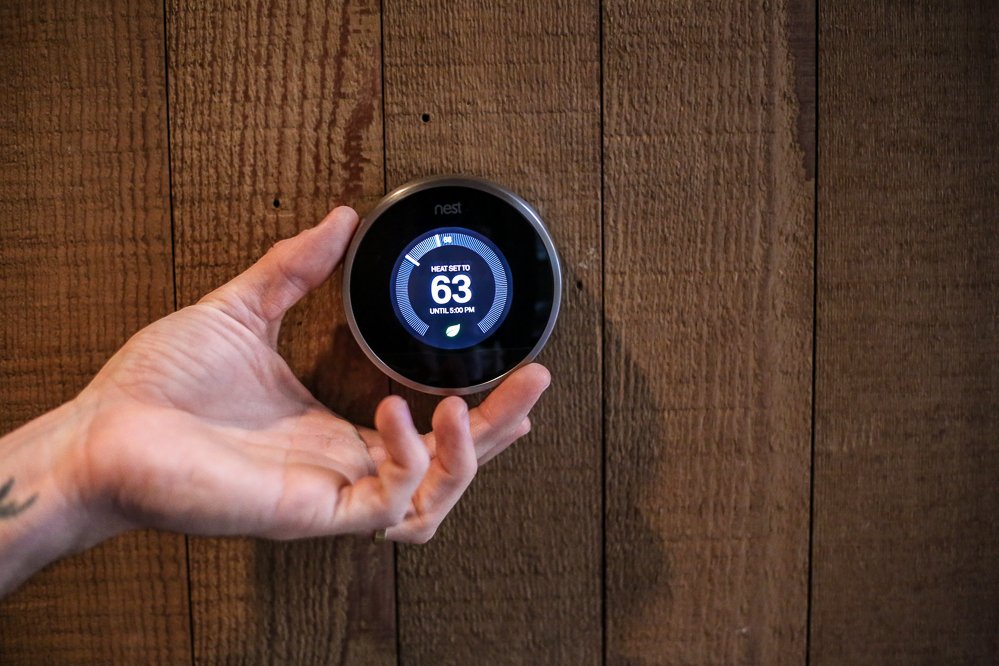
Google has announced that, on October 25th, it will stop supporting older Nest Thermostat generations, leaving many users with what is essentially a “dumb” thermostat that only works manually.
Here’s what you should do to prepare before your Nest thermostat loses its smart capabilities.
What is happening with Nest Thermostat Generations
When Nest Labs released its first smart thermostat back in 2011, it revolutionised home automation. These devices learned your patterns, allowed remote temperature control, and integrated seamlessly with other smart devices. However, they won’t be that smart anymore.
Google is officially ending support on October 25th for older Nest thermostat generations, specifically:
- 1st Generation Nest Thermostat (2011)
- 2nd Generation Nest Thermostat (2012)
- 2nd Generation Nest Thermostat – Europe version (2014)
This means that your thermostat will no longer connect to the Nest or Google Home app, the remote control from your phone or tablet will stop working, and there won’t be any software and security updates.
In essence, these thermostats will become standard manual devices, just regular run-of-the-mill thermostats, unable to perform the smart functions that made them revolutionary in the first place.
How should you prepare for this disconnection?
If you own one of the affected Nest thermostat generations, don’t wait until it goes “dumb” to take action. Here are some steps that will help you get prepared:
1. Check your model and serial number
Before making any decisions, confirm which Nest Thermostat generation you own.
You can try one of these methods:
- Open the Nest app and go to Settings → Technical Info → Display Model.
- Check the back of your thermostat display unit for the model number.
If it’s a 1st or 2nd Generation Nest Thermostat, it will be affected by this discontinuation.
2. Plan your upgrade now
You’re still on time to upgrade your smart home; you can consider these newer generations of Nest thermostats:
- Nest Thermostat (3rd Generation): Has a more functional UI and makes temperatures, alarms, and messages easier to read.
- Nest Thermostat E (4th Generation): A budget-friendly option with simple and easy controls and even preconfigurations, which can still be personalized.
Of course, everyone who bought any Nest thermostat generation was looking for a comfortable experience, so upgrading your device ensures you’re not losing any of that.
If you’re looking for an easy and hassle-free update, Geeks on Site is here for you.
We’re offering the newest Nest thermostat generations with a special discount. Go to our shop and don’t waste this opportunity!
3. Consider different brands
We know that Nest is the leader in smart thermostats, but is not the only one out there. You can look at other options like the ones from Ecobee and Honeywell.
These other smart thermostats offer connection with Google Home, as well as with Alexa and Apple Homekit systems. They have full compatibility, and there hasn’t been any announcement saying support will end. So you may find what you are looking for in a different brand.
If you want to visualize clearly the comparison between compatibility, we can show you the next table:
Compatibility & Features Table |
||||
| Feature/Support | Nest Gen 1-2 | Nest Gen 3-4 | Ecobee Premium | Honeywell X2S |
| App & Remote Access | ✅until Oct 2025 | ✅ongoing | ✅ongoing | ✅ongoing |
| Matter Support | ❌ | ✅Gen 3 + | Coming soon | ✅Available |
| Google Home Integration | ✅until Oct 2025 | ✅ | ✅ | ✅ |
| Alexa Support | ✅until Oct 2025 | ✅ | ✅ | ✅ |
| Apple Home Integration | ❌ | ✅Gen 4 + Matter | ✅ | ✅ |
4. Backup your settings and schedules
If you have specific heating and cooling schedules, or if your thermostat has learned your preferences over time, document these settings before losing access.
Take screenshots of your Nest app schedules or write down your preferred temperature settings for each time of day and season so you can feed it to the new generation. This will make configuring your new thermostat easier and faster.
Want some help making this upgrade? Then get in touch with Geeks on Site. We can help you with everythin you need.
What to do about the past generations of Nest Thermostats
While the older Nest thermostat generations will lose smart functionality, they won’t become completely unusable. Here are some of your options:
- Use it manually as a regular thermostat: Don’t worry, your Nest thermostat will still function as a basic and traditional one, allowing you to adjust temperatures directly on the device.
- Recycle or responsibly dispose of it: If you decide to replace your old Nest thermostat, consider recycling it. Google has a recycling program that you can consult.
- Upgrade to a new smart thermostat for better efficiency: Replacing your outdated Nest thermostat with a current generation is just the best solution.
- Consult a professional for installation and integration: While installing a thermostat is indeed simple, wiring configurations and compatibility with your HVAC system can be tricky. It’s always useful to hire professional services to help you update your home.
Conclusions
This announcement is not the end of the world, just the end of older Nest thermostat generations. The solutions to have a nice smart home ecosystem are actually quite simple and, thanks to Geeks on Site, quite affordable.
Don’t wait until your thermostat goes “dumb” to take action.
Last Updated on July 29, 2025


