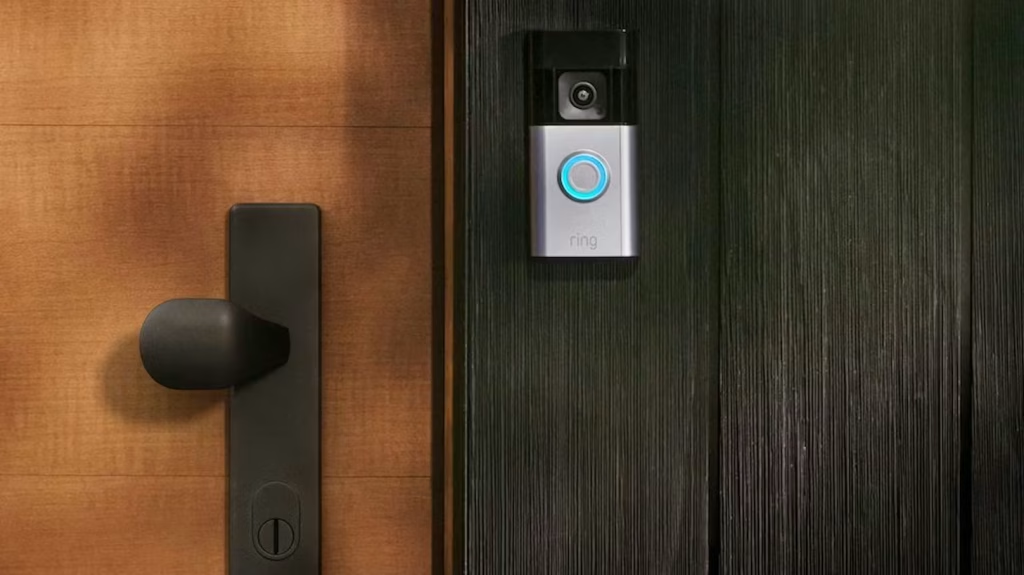
TL;DR: Yes. You can have two Ring doorbells at different locations under the same Ring account. Simply create a separate Location for each property, and each one keeps its own Wi-Fi, devices, event history, and settings while remaining accessible from the same app.

In this guide:
Some people want a Ring doorbell at both the front and back entrances of the same house. Others need one at home and another at a rental property or office. The good thing is that Ring supports both setups, and you can manage everything from the same account; the only difference is how you organize the devices inside the app. In this guide, we’ll show you how depending on your requirements:
Two Ring doorbells at the same property

This is the setup most people start with: one doorbell up front, another at a back door, side gate, garage entrance, or separate home office entrance. Both run off the same Ring account, and each one works on its own, so a delivery at the back gate won’t trigger a notification meant for your front porch.
Managing everything from one app
Open the Ring app and you’ll see each doorbell listed as its own device. Giving them clear names like Front Door, Back Gate, or Office Entrance makes notifications much easier to understand. Instead of wondering which camera picked up movement, you’ll know immediately where the activity happened. Live View and recorded events also stay organized by device.
Indoor notifications
If you already have a Ring Chime, you can connect both doorbells to it, and assign each one a different chime tone so you know at a glance which entrance someone’s at without checking your phone. Larger homes sometimes add a second Chime on another floor to make sure alerts get heard.
A few things to check before you install a second doorbell
Before mounting another Ring doorbell, it’s worth checking a few things that can save you troubleshooting later:
🛜 Wi-Fi coverage
Every doorbell needs its own solid connection, and if the second one sits farther from your router, you may notice slower notifications or have trouble loading Live View. A Wi-Fi extender can sometimes help, and if you’re getting a “device offline” message more than occasionally, our Wi-Fi reconnection guide walks through the fixes step by step.
🔌 Power source
You’re not locked into matching setups. It’s common to run a wired doorbell up front, where doorbell wiring already exists, and a battery model at a side entrance or gate where running wire isn’t practical. If you’re not sure which type fits your home, this Ring doorbell camera comparison breaks down the current lineup by budget and power source.
🚨 Duplicate motion alerts
When two cameras cover overlapping ground, they can both flag the same visitor. Adjusting each device’s Motion Zones in the app keeps every entrance covered without doubling up on notifications.
Two Ring doorbells at different properties

Ring also supports doorbells installed at completely different addresses, such as your home and your office, a primary residence and a vacation house, or your place and a relative’s. You don’t need a second Ring account for this.
Instead, add a new Location inside the Ring app for the second property. Each Location keeps its own devices, Wi-Fi network, Motion settings, event history, and list of shared users, so switching between them takes a couple of taps and nothing gets mixed up between properties.
This is also the setup to use if you’re moving into a house that already has a Ring doorbell mounted. Rather than starting from scratch, it’s usually a matter of requesting an ownership transfer from the previous owner’s account, and our guide to setting up an already-installed Ring doorbell covers that process in detail.
🏡 How Ring Protect works across multiple locations
Ring Protect adds features such as video recording, event history, and advanced alerts. Ring Solo covers one eligible device, while Ring Multi covers compatible Ring devices at one Location. If your doorbells are assigned to two different Locations, you may need separate subscriptions, so check the coverage for each property before assuming recordings will be saved from both.
🚪 Beyond the doorbell
If either property already has other Ring devices, like a Ring Alarm system, those get tied to that property’s Location too, giving you one connected setup per address instead of a tangle of separate systems.
Tips for running multiple Ring doorbells
A few habits make multi-doorbell setups easier to live with, whether both devices are at one house or spread across two properties:
- Name each doorbell by what it actually covers (Front Door, Office Entrance) so alerts make sense at a glance.
- Set custom Motion Zones for every device to cut down on notifications for cars passing by or trees swaying.
- Check signal strength in the Ring app before mounting a doorbell farther from the router.
- Test Live View and notifications from each device right after setup, not weeks later.
- Keep the app and device firmware updated so features and security patches stay current.
If you’d rather not deal with the mounting, wiring, and app pairing yourself, Geeks on Site’s doorbell installation service covers setup for one doorbell or several, at one address or more than one.
FAQs
Do I need a separate Ring subscription for each location?
Not necessarily, it depends on your Ring Protect plan. Some plans cover individual devices, while higher tiers extend to every device within one Location. If your doorbells sit at two different Locations, confirm your plan actually covers both before assuming your recordings are backed up everywhere.
Can more than one person or phone access the same Ring doorbell?
Yes. Ring accounts support shared users, so family members or roommates can each get their own login with access to Live View, notifications, and event history for the shared devices, without everyone using the same phone or credentials.
Where's the best place to install a second Ring doorbell?
Anywhere it gets a clear view of the entry point it’s covering and a solid Wi-Fi signal. Side gates, garages, and back doors are common second locations. If you’re deciding between a wired or battery model for that spot, our installation walkthrough covers what to check before mounting.
How much does it cost to add a second Ring doorbell?
Device cost varies by model, with battery doorbells generally running less than wired or higher-end models with head-to-toe video. On top of that, factor in whether your Ring Protect plan already covers the new device or needs an upgrade. This comparison of current Ring doorbell models breaks down pricing by model.
Last Updated on July 31, 2026