For battery-powered models, just remove the battery pack to turn it off. In case you can’t remove it because of the specific model, you can cover the camera lens. If you have a wired model, you will need to turn off the circuit breaker.
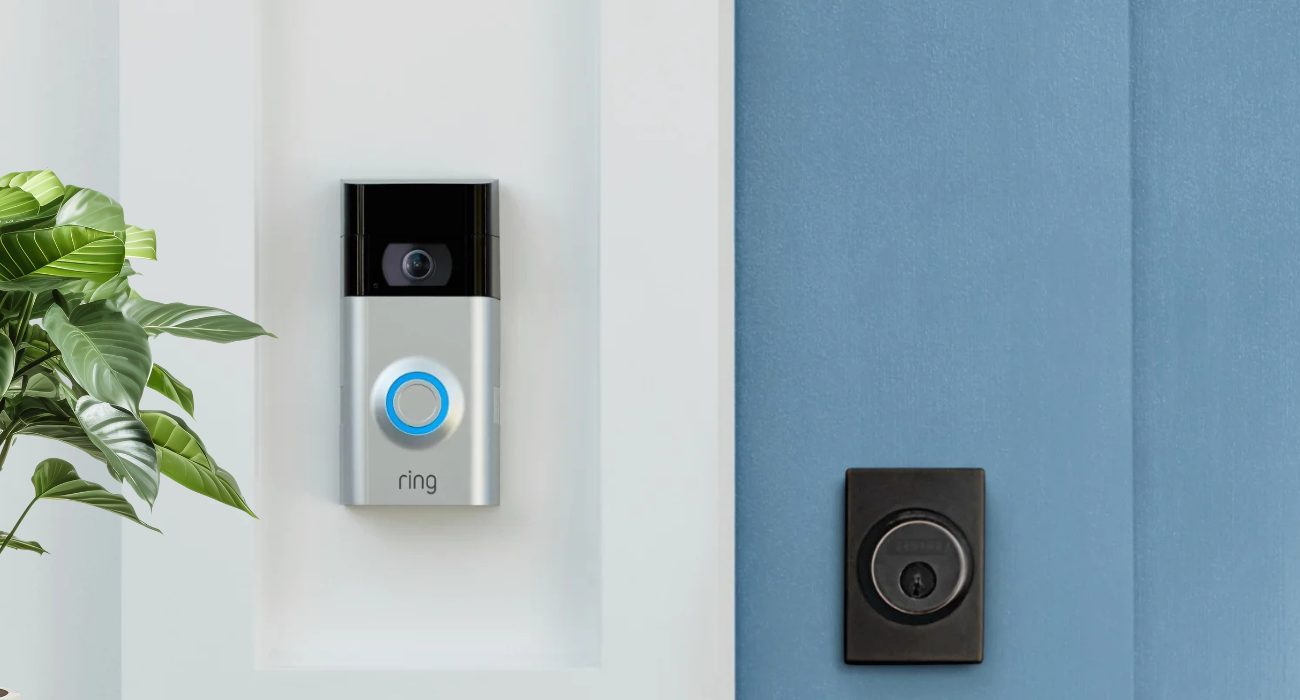
TL;DR: Turn off your Ring doorbell without the app in 3 ways: remove the battery (for battery models), disconnect Wi-Fi or block it from your router (for hardwired models), or cover the lens with tape (works on both, but the device stays online). The LED ring tells you if it’s fully off — no light means it worked, blue light means it’s still active.
You probably were excited about getting one of these Ring devices, and they’re great to be honest, but many people face some issues when it comes to turning them off, especially when you don’t have the app (what a nightmare!)
The reasons? There could be many. It can be something as simple as wanting it off for a while for a little privacy, or perhaps you want to leave the house without anyone noticing. Maybe because you moved into a new apartment and really don’t need it, or for something more serious such as being afraid someone can monitor or hack your devices.
But you’re in your right to turn it off when you need it. Whether you lost access to your app, don’t have the passwords, or don’t have storage on your phone to install it, we’ll tell you how to do it without making it technical.
But first, do you know which Ring doorbell model you have?
This is important to know which path to follow, but if you don’t, again, don’t worry. This is something really common among Ring users. Here are a few tips to help you figure it out:
- If it has a removable battery under the front cover, it’s a battery-powered model, see? Easy. Also, you can check that same area to see if there’s a printed model number.
- Another clue: if you ever had to take it down to charge the battery with a USB cable, then it’s a model with a battery.
- But if you don’t see anything to unplug, or if the device stays lit up even after removing the front cover, it might be a wired model or one with an integrated battery.
Ver esta publicación en Instagram
If you do have access to your phone, it’s worth checking the in-app options first, our guide on how to turn off a Ring camera covers Motion Snooze, Modes, and every physical method side by side.
3 ways to turn off your Ring doorbell camera without using the app
Once you know which kind of Ring doorbell you have, select a method.
Method 1. For removable batteries
You’re lucky if you own one of these. It can be the Ring Battery Doorbell Plus, Video Doorbell 2, 3, and 4, or pretty much any similar battery-powered model.
🧐 How to turn it off
It usually doesn’t take a lot of time as you just need to remove the battery pack. And for that, you need to use the security screwdriver that came with your equipment. If you don’t have it, make sure to get a similar one (look for a Torx screwdriver) on sites like Amazon.
All you need to do is remove the small screw on the bottom of the device, remove the front cover, press the release tab, and slide the battery out. Sounds a bit technical, but that will do the trick.
Need some help? Read this guide to learn how to remove a Ring doorbell by yourself
🤓 How to turn it back on
If you need to use it again as if nothing happened, simply insert the battery again until you hear a click, put the cover back on, and tighten the screw. The doorbell should reconnect to Wi-Fi automatically after a minute or two, so don’t panic
⚠️ Heads up
After finishing this process, the owner of the app will receive an immediate notification if the device goes offline. As long as the battery is out, no one using the app can see anything as it’s not recording.
Method 2. For hardwired models
The wired doorbell models are typically the Wired Doorbell Pro, Plus, and Elite, most of which are 2nd or 3rd generation models. These are a bit harder as they don’t come with a removable battery, but luckily there’s a workaround.
🧐 How to turn it off
Simply disconnect the Wi-Fi signal on your Ring doorbell, or you can block the device from your router. In both cases, this will prevent the camera from recording and working.
🤓 How to turn it back on
If it was really temporary, just reconnect the internet again and you’re done. But if you truly don’t want to connect it again, it can just stay blocked in your router settings.
Do you feel like you need help reconnecting your Ring doorbell camera? Check out this guide.
⚠️ Heads up
Even if it’s just disconnected from the internet or the breaker is off, the owner will still get a notification that the device went offline but the good part is that they won’t be able to view the live feed (if that’s the goal).
Method 3. Cover the camera lens
If you’re not convinced by the options above, just don’t overcomplicate things—keep it simple yet effective. This unconventional method can work for both setups, although it’s not 100% foolproof.
🧐 How to turn it off
Get some electrical tape and cover the lens of the camera. This way, whoever is using the app will only see a black screen. But consider that the audio and motion detection might still be active. If you can easily remove it from the wall, some people recommend placing it in a dark box in an empty room, so after a while, no new motion will be triggered.
🤓 How to turn it back on
Just remove the tape and that’s it, you’re good to go!
⚠️ Heads up
This doesn’t fully power the device down. The camera stays connected to Wi-Fi, and the account owner may still see that the device is online but the video feed itself will appear completely dark or blocked.
How to know if your Ring doorbell is off
This is one of the most important questions after trying these raw methods, right? Well, here’s a quick cheat sheet on how to tell when you don’t have access to the app but still want to make sure the doorbell camera isn’t recording.
Take a look at the LED light ring. If it is:
- Without light: You did it! This means you managed to completely turn off your Ring Doorbell. It’s fully inactive.
- Fixed blue light: Bad news. This indicates the device is still active, it could still be recording, and someone using the app might still see what’s happening.
If it still seems like nothing is working, don’t worry, Geeks on Site is here to help! 😊👇
Geeks on Site can help turn your Ring device on and off
We’re smart home specialists and a certified Ring partner, so we know exactly how to handle any issues you have. There’s no need to get a headache trying to solve it all on your own. Just give us a call, and we’ll send a smart home technician to your home or office to fix it for you. We provide nationwide coverage 365 days a year.
✨ Before you go, if you like handling tech on your own terms, the Geeks on Site blog has your back. From smart home setups to everyday gadget fixes, our guides are written for real people, not IT departments.
How to turn off a Ring doorbell camera FAQs
Does a Ring Doorbell have a physical ON/OFF button?
No. Ring doorbells don’t feature a physical power switch, as they’re security devices, their mission is designed to be always on. However, to disable one manually, you must remove the battery, turn off the breaker, or block its Wi-Fi access, just as we saw throughout this blog.
Can I turn off a Ring Doorbell without the app?
Yes! You don’t need the account access or the app to disable the hardware. You can fully power down the unit by pulling out the quick-release battery pack on battery models or flipping the home circuit breaker switch on hardwired models.
How can I tell which Ring model I have without the app?
The fastest way is to check the product label on the back of the device, but if it’s missing or already mounted, just pop off the front faceplate. If you see a silver metal release tab with a sliding rectangular battery pack, you own a removable battery model like the Ring 2, 3, or 4.
Another big clue is how you charge it: if you’ve had to take the whole unit down to plug it in with a USB cable, it’s definitely a battery model. And if you’re still completely lost, just snap a quick photo of your doorbell and upload it to Google Lens or an AI tool, and it’ll identify your exact model in three seconds!
How do I temporarily disable my Ring camera for all users?
To disable the camera for everyone simultaneously, you must cut its power completely by removing the battery or shutting off the breaker. Simply covering the lens with tape will block the video feed for everyone, but users will still see the device as “Online” in the app.
Will a Ring camera record if the Wi-Fi is turned off?
Not at all! Ring doorbell cameras require a Wi-Fi connection to stream, record, or log motion events. If your internet is off or the device is blocked from the router, it cannot save new videos or send alerts.
Last Updated on August 5, 2026